

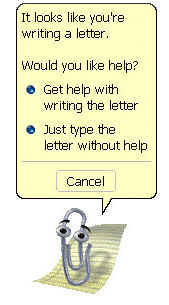
Software has always wanted to be helpful. In the late 1990s, Microsoft tried to make it friendlier with an animated guide in Office: a paperclip with eyes that popped up when it thought help was needed. It became famous, then infamous, and eventually… nostalgic.
It was called Clippit, or more famously, Clippy. The idea was decades ahead of the technology that powered it.
The arc matters because modern products are quietly re-introducing assistants, but with better timing, better intent, and better outcomes.
Why it started (history)
In 1996–1997, as Microsoft prepared to ship Office 97, it faced a problem: users were overwhelmed by menus, ribbons, and hidden features. The company wanted a “human” interface between people and software: a companion that could sense what the user was doing and offer help in real time.
Clippy was the result. Designed by Kevan J. Atteberry, Clippy was part of the Office Assistant, powered by early Bayesian inference models - primitive probability systems that guessed user intent based on small cues.
If a user typed “Dear …” → it likely meant “writing a letter.”
If a user opened the Tools menu repeatedly → they were probably “looking for a setting.”
Underneath, this was all logic trees and conditional probabilities - not natural language understanding. There were no embeddings, no transformers, no context memory. The assistant was running a static rule base embedded in Office, built on Microsoft’s Agent platform, a descendant of the Microsoft Bob project from 1995.
Clippy was a kind of hardcoded agent – an interface shell around structured rules, not reasoning. It looked alive, but it couldn’t really think.
Why it failed
The failure wasn’t because the idea was bad - it was because the technology couldn’t deliver what the interface promised.
No real intent modeling. Bayesian triggers worked on single-word cues, not multi-step context. If you typed “Dear…” in a poem, Clippy thought it was a letter.
No personalization. Clippy had no user memory - every interaction was the same. It couldn’t learn from you or adapt.
Intrusive by design. It appeared automatically, often mid-task, because it lacked the subtlety to know when help was wanted.
No feedback loop. It couldn’t improve or be fine-tuned; the model lived inside your Office install.

By 2001, Microsoft disabled it by default in Office XP, and by 2007, it was gone entirely.
The idea of software that knows when you need help went dormant for almost two decades.
The rebirth – and why it matters now
When LLMs emerged, they reintroduced something Clippy always wanted to be: context-aware.
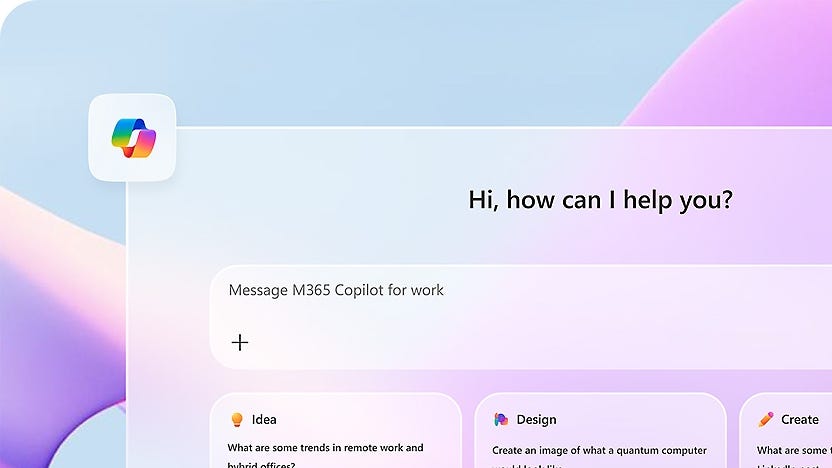
Assistants like GitHub Copilot, Microsoft Copilot, and ChatGPT are powered by transformer-based language models – systems that don’t rely on keyword triggers, but on probabilistic reasoning across massive context windows. They can infer what you mean, not just what you type.

In 2025, Microsoft introduced Mico, a new Copilot avatar with expressive, real-time reactions and voice-mode presence - a modern, optional embodiment of help. A hidden Clippy Easter egg nods to the past without repeating it.
Press framing is explicit: Mico aims to succeed where Clippy failed - more empathetic, less intrusive, and tuned to today’s expectations for useful, collaborative AI.
How the assistant returns to software (done right)
Today’s copilots are powerful, but still reactive. They respond to language, not behavior.
If a user hesitates or gets stuck without knowing why, the copilot stays silent until prompted.
The next step is moving from assistants that listen to ones that notice.
Modern assistants should work in the flow and for the outcome. Instead of generic “Need help?” balloons, they watch for signals: hesitation, repeat errors, dead-ends, oscillation, or divergence from a known golden path.
When confidence is high - and only then - they surface a targeted nudge, a micro-guide, or an action.
Where this is heading, and what we’re exploring at Autoplay
At Autoplay, we’ve been developing Pinnie the Pin Pal.
What it is. A proactive chat presence that infers intent not from text, but from behavior and context. It pops up only when users may be stuck or deviating from the expected flow.
Where it appears. Anywhere friction concentrates: beside a disabled button, near a mis-configured form, inside a multi-step wizard, or inline on a page where users routinely stall.
What it does. Offers the next best step, clarifies prerequisites, highlights the one control users keep missing, or links to a short, relevant walkthrough.
Pinnie is powered by TERRA, Autoplay’s framework for predicting user intent by combining UI understanding with user clicks to form a unified ontology for measuring and evaluating user goals.
It’s the same vision Microsoft had in 1997 - helping users reach value faster - but finally with the technology to do it right.
Why this is different from Clippy (and better)
Inference over interruption. Pinnie uses behavioral signals (deviations, repeated back-and-forth, long hovers, rage-clicks) to predict intent and time help; Clippy relied on shallow triggers (keywords and canned heuristics).
Context and control. Pinnie is subtle and optional, appears in place, and respects dismissals and user preferences. Clippy was on by default and hard to tune.
Outcome-driven. Pinnie’s goal is path completion and adoption (finish a setup, export data correctly, publish the first automation), measured by golden-path completion and drop-off changes, not just “help opened.”
Segment-smart. Behavior adapts by persona and journey stage (new vs. power user; admin vs. contributor), avoiding one-size-fits-all prompts.
Design lessons (Clippy → Pinnie)
Appear only with confidence. Low-precision prompts erode trust fast.
Help in place. Avoid modal hijacks; anchor near the friction.
Make it dismissible, and remember. Respect “not now,” and learn from it.
Short, specific, actionable. Offer the step that moves the user forward.
Measure behavior change. Track impact on completion, retries, abandonment, not vanity clicks.
Closing note
Clippy was an early, lovable misfire - a product of its moment and its limits. 1997–2007 taught the industry that help without context becomes an interruption. 2025 brings a different pattern: assistants that listen first, then assist. That’s the lane Autoplay (Pinnie) occupies - a context-aware, intent-informed guide that appears only when the product itself signals friction. The face isn’t the point; the moment is.