

Fin, Intercom’s AI agent, are mostly set up to be reactive by default. A user opens the chat, types something, and Fin answers from the sources you have connected to it. That works for a lot of support questions, but it leaves out what happened in the product before the user opened chat.
There are three useful ways to make Fin more proactive, each requiring more setup than the last.
Before getting into the levels, here is the difference it makes in practice:
Without session context
User: I can’t change my plan.

Fin:  Here’s how to change your plan: [help article link]
With session context
Internal note: User visited /billing, selected Pro plan,
submitted checkout, hit a payment validation error.

User: I can’t change my plan.

Fin:  It looks like the payment step didn’t complete — the card validation failed.

      Try re-entering your card details or use a different payment method.
What Fin depends on
Fin is not a static chatbot. Its behavior depends on the sources you give it and the instructions you configure.
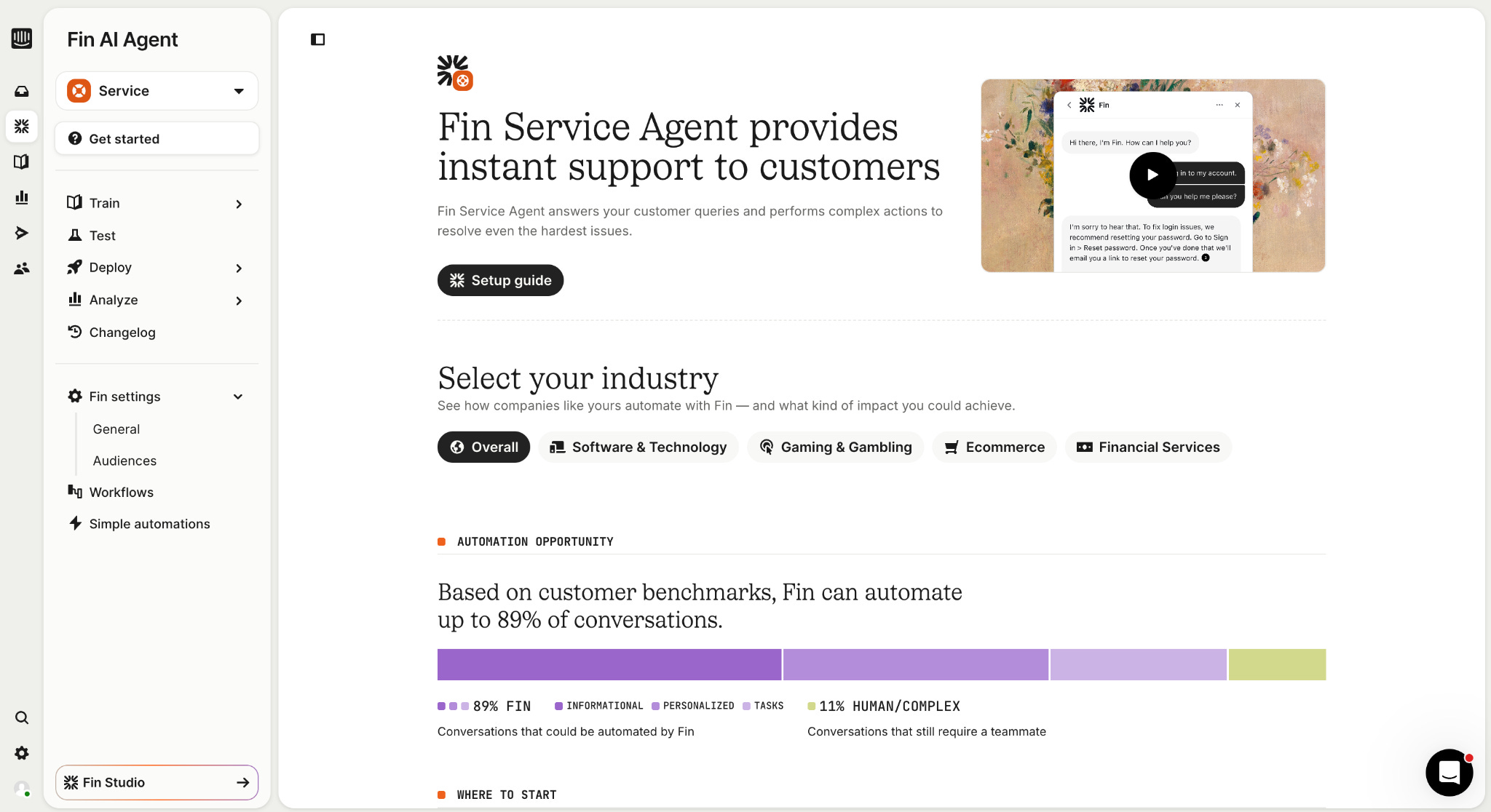
You can make it answer from help center articles, product docs, internal notes, and other structured inputs. You can also decide which sources matter most in a given flow, which documents should be treated as primary, and how Fin should respond when sources conflict.
For example, billing docs might be primary inside a checkout flow, while general onboarding docs are secondary.
The limitation is usually not the model. It is what Fin can see. If Fin can only see the user’s message and your docs, it can give a good generic answer. If the conversation also includes the user’s product activity, workflow, and recent actions, Fin has a better starting point.
The two common Intercom setups
Most teams start in one of two places.
Some configure Fin mostly inside Intercom: Workflows, routing, articles, canned replies, and outbound messages.
Others take a more developer-led approach and connect Intercom to internal APIs, user data, and custom logic.
Both are useful, but neither automatically gives Fin live product context.
Level 1: URL and page targeting in Workflows
The simplest way to make Fin proactive is using Intercom’s Workflows to trigger a message when a user visits a specific page. No custom events, no API calls, just URL rules and a workflow.
In the Intercom workflow builder, set your trigger to “Customer visits a page” and add a page rule:
URL contains /pricing: triggers for any URL with /pricing in the path
URL starts with https://app.yourproduct.com/billing: targets all billing subpages
Exact match: triggers only on one specific URL, including query parameters
You can also layer in time on page as a condition. For example: trigger only if the user has been on /pricing for more than 60 seconds. That is already better than firing the chatbot the second someone lands on a page.
At the end of the workflow path, add a “Let Fin answer” step. When the user replies to the workflow message, Fin takes over and handles the conversation, pulling from your help docs, product articles, and system prompt instructions.
This gives you basic location-aware and timing-aware support with no code. The limitation is that the workflow is still based on a page rule. Fin knows where the user is, but not much about what they did before or after that page view.
Level 2: Event-based triggers
If you are tracking custom events in Intercom, you can use them to trigger messages, a step closer to behavior-based proactivity.
Track events via the JavaScript API:
window.Intercom(’trackEvent’, ‘selected-plan’, {

  plan_name: ‘Pro’,

  billing_cycle: ‘annual’

});
Once that event is tracked, you can create an outbound message in Intercom that fires every time the event is recorded. In the message rules, set “When” to your event, then configure frequency to avoid over-messaging. For example, at most once per hour per user.
You can also filter by event metadata. For example, only trigger the message if billing_cycle is annual, or layer in a “Where” rule like Current URL contains /checkout.
To keep Fin in the loop, add “Let Fin respond” as a follow-up action on the outbound message. When the user replies, Fin picks up the thread.
This is better than URL targeting. You are reacting to things users actually did, not just where they are.
But there is an important limitation: event-based messages use events as triggers, not as context.
You can manually define an event like selected-plan and trigger a message when it happens. But that does not mean Fin understands the sequence of events that led up to the conversation.
The event can start the conversation, but it does not become part of Fin’s reasoning unless you connect that event data back into the conversation as context.
That is the difference between event-based triggers and real-time session context.
Level 3: Real-time session events
The goal is not just to trigger a chatbot response from an event. The goal is to make the user’s recent product activity available as context inside the Intercom conversation.
That means connecting session events as a data source for the conversation, not just using them as one-off triggers.
You do not need every raw event. You need the actions that help Fin or the support team understand what the user was trying to do, what happened before they opened chat, and where the workflow broke down.
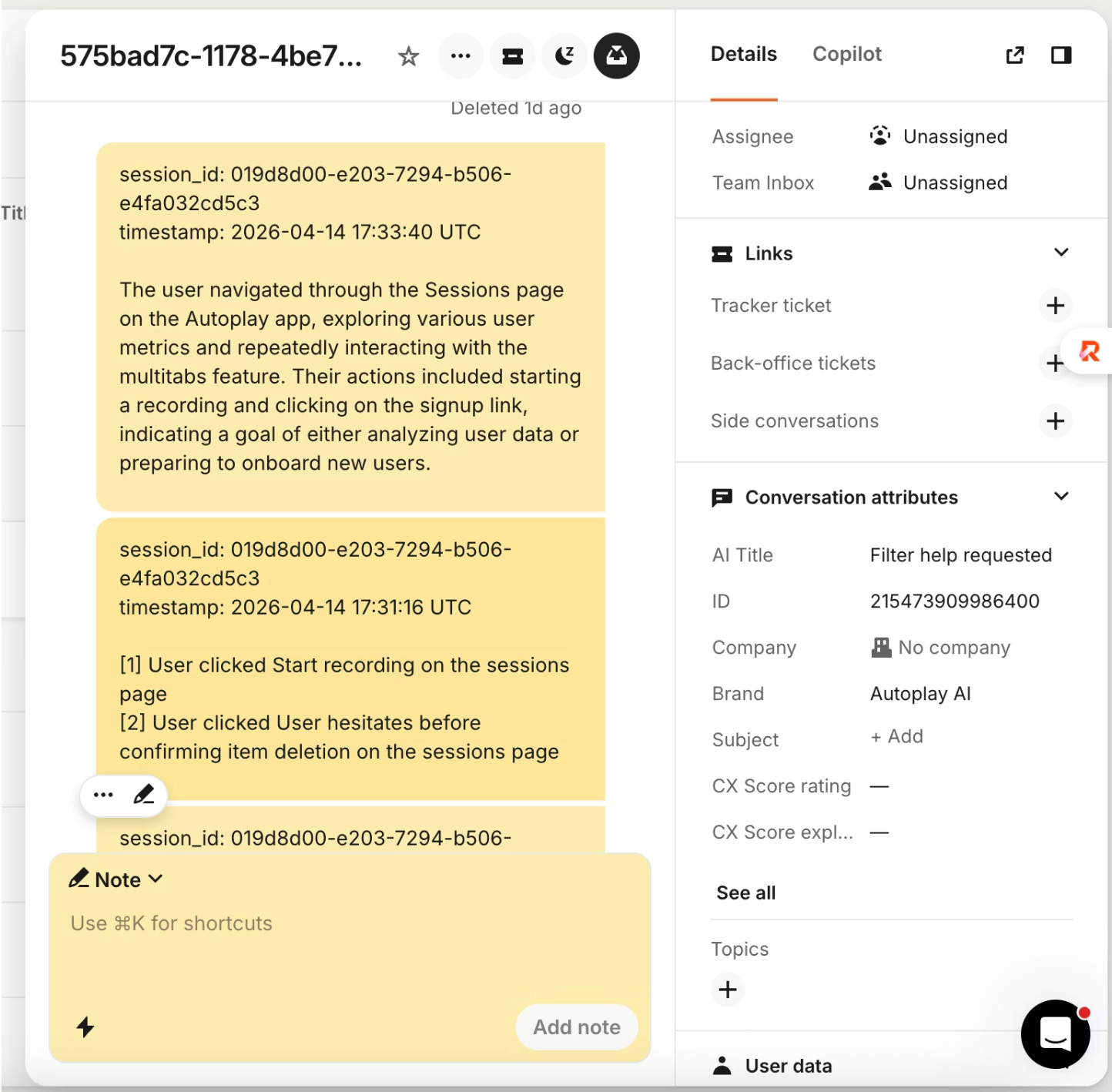
The pattern has four parts:
capture product events
link the product session to the right Intercom conversation
write useful activity into the conversation as internal notes
summarize and clean up older notes so the thread stays readable
This is where a tool like Autoplay can help. Autoplay provides an SDK for sending real-time product activity into chat and support tools. For Intercom, it handles the session linking, buffering, internal note writing, redaction, and summarization.
The pipeline looks like this:
Product events (PostHog)

→ Autoplay links the session to an Intercom conversation

→ Autoplay writes internal notes into the conversation thread

→ Those notes become context inside the Intercom conversation
Internal notes are the bridge. They let you put product activity into the Intercom conversation without showing it to the user. The support team can read them, and Fin can use that context depending on how your Intercom workspace is configured.
In practice, you should write only the product actions Fin or the support team need, not raw sensitive input values.
1. Capture product events
You need a stream of product activity: page views, clicks, form submissions, errors, and workflow events.
Autoplay uses PostHog-compatible capture for this. You add the snippet to your frontend, identify the user after login, and pass the fields Autoplay needs to connect that product session back to Intercom.
2. Link the product session to the Intercom conversation
Product events only help if they end up in the right thread.
Autoplay uses Intercom webhooks to know when a user starts or replies to a conversation. The key webhook topics are:
conversation.user.created

conversation.user.replied
Once Autoplay links a product session to an Intercom conversation, that mapping is kept stable so later events continue going into the same thread.
3. Write internal notes into Intercom
Once the session is linked, Autoplay writes product activity into the conversation as internal notes.
Those notes are visible to the support team, but not to the user. They give Intercom a live picture of what the user is doing in the product, for example:
[1] User clicked Sign up button on the pricing page

[2] User clicked Confirm plan button on the checkout page

[3] User submitted payment form on the checkout page
In practice, you should only write the product actions Fin or the support team need, not raw sensitive input values.
4. Buffer events before the conversation is linked
Sometimes product events arrive before Autoplay knows which Intercom conversation they belong to.
In that case, Autoplay buffers the actions. Once the session is linked to a conversation, the buffered activity is flushed into the right thread.
5. Summarize and clean up older notes
Raw action notes are useful, but you do not want the Intercom thread to become a wall of events.
Autoplay can summarize the session after a configurable threshold of actions and redact older raw notes. The summary is written back into Intercom as a cleaner internal note:
The user navigated to the pricing page, selected the Pro plan,

submitted the checkout form, and hit a payment validation error.

They later returned to billing settings.
The summarization step is separate from Fin. Fin and the support team then have that summary available inside the Intercom conversation, depending on how your workspace is configured.
For the full implementation, including the snippet, webhook setup, session mapping, note writing, redaction, and summarization, see the Autoplay Intercom integration guide.
What this changes
With session notes in the thread, Fin and the support team have context before the user explains the problem.
If someone opens chat and asks “why can’t I change my plan,” the conversation already has a note showing they visited billing, selected Pro, submitted checkout, and hit a payment validation error.
Instead of asking the user to retrace their steps, the team can read the session summary and pick up from there.
Picking the right level
Most teams do not start with real-time session context, and they do not need to. URL and event triggers cover a lot of ground and are worth setting up properly before adding anything more complex.
But if your support team regularly spends time asking users to retrace their steps, or if Fin is giving technically correct answers that miss the actual workflow the user is stuck in, that is a signal that session context would help.
The Intercom docs for URL targeting, event-based messages, and letting Fin follow up after Workflows are good starting points for the first two levels.
If you want to add the real-time layer, the Autoplay Intercom integration guide walks through the implementation: webhooks, session mapping, note writing, and summarization.